modern template
Cobalt Resume Template
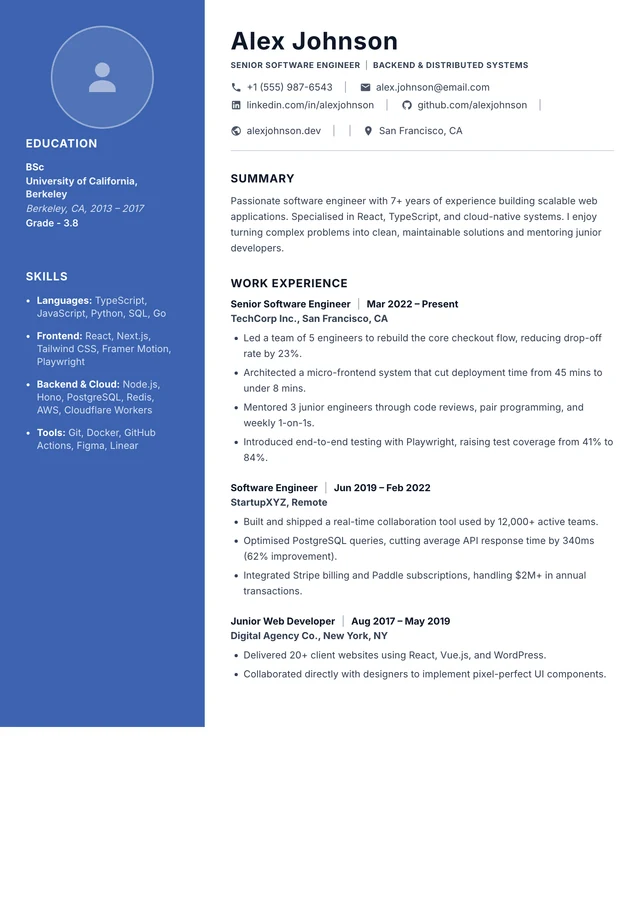
Two-column layout with a solid colored left sidebar, centered circular photo avatar, and contact info header row.
- ✓A coloured sidebar with a centered photo avatar
- ✓Edit live on the canvas — no formatting headaches
- ✓One-click PDF export matching the preview
- ✓Free to start, switch templates anytime
Who the Cobalt resume template suits
The Cobalt template is designed for bold colour without losing structure. Two-column layout with a solid colored left sidebar, centered circular photo avatar, and contact info header row. Use the layout to organize your own evidence, then tailor the summary, experience, and skills to one target job.
Not sure whether this structure fits your background? Compare the main resume formats or open a job-specific resume example before you start.
Cobalt template — FAQ
How should I test the Cobalt template with an ATS?
Export the finished PDF, confirm its text is selectable, and review the extracted reading order. The template uses standard resume sections, but parser behavior varies by employer and no design can guarantee a particular screening result.
Can I edit the Cobalt template for free?
Yes — pick the template, edit every section directly on the live canvas, and preview your changes instantly. No account is required to start.
Can I download my resume as a PDF?
Yes. Export a print-ready PDF in one click; what you see in the editor is exactly what you get.